

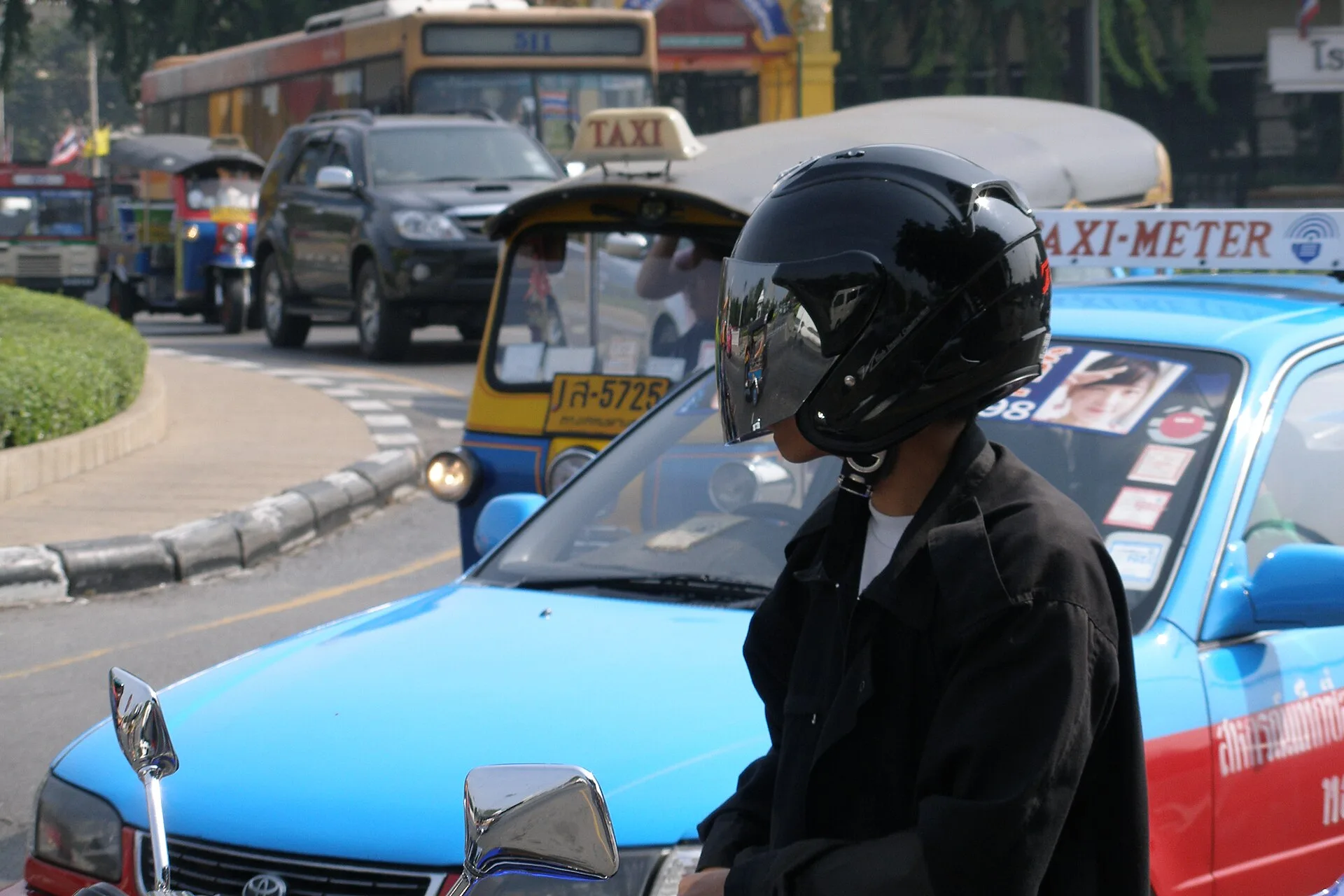
Grab in Thailand is a useful option for many journeys in Bangkok and other destinations where the service is available. The app lets you set a pickup point and destination, compare available ride types and see the quoted fare before you confirm. Availability, ride types and waiting times still depend on your location and the time of day.
This guide covers installation, payments, ride types, safety and common mistakes. It also explains when Grab may be more practical than a metered taxi, tuk-tuk, public transport or a pre-arranged transfer. For wider planning advice, read our guide to travelling independently or with a tour operator in Thailand.
Grab’s biggest advantage is predictability. You can see the estimated fare, route, driver details and arrival time. That makes the app especially helpful when you do not know the city, do not speak Thai or are travelling with luggage. It does not replace common sense, local knowledge or good route planning.
What Grab Is and When It Is Useful
The Grab app in Thailand works much like popular ride-hailing apps in Europe. Choose your pickup point, enter your destination and view the available ride options. The app then connects you with a driver. The whole process takes place on your phone.
Visitors most often use Grab for car rides. Depending on the location, the app may also show taxis, larger vehicles or motorcycle rides. Grab states that GrabCar and JustGrab operate across Thailand, while the current GrabBike passenger page lists Bangkok and nearby provinces as its coverage area. Treat the options shown in the app at your pickup point as the current source of truth.
Grab is particularly useful in Bangkok. The city is huge, traffic can be heavy and addresses can be confusing. Having a route set in the app makes communication much easier. The driver can see your location, so you do not have to explain everything verbally.
Grab’s Main Advantages for Tourists
The main advantage is seeing the quoted fare before you confirm a car service. Grab notes that tolls and some surcharges may be additional, so review the payment details before booking. The app also shows an estimated arrival time, which helps you decide whether to wait or use rail transport instead.
Grab in Thailand is also useful in the evening. After dinner, a river cruise or a visit to a night market, it is easier to get back to your hotel. You do not need to look for a taxi stand or negotiate with a driver on the street.
On the other hand, Grab is not always the cheapest option. Fares can rise during peak hours, and the car may take longer to arrive. It is worth comparing Grab with the BTS, MRT, river boat or walking.
Grab makes getting around Thailand convenient and predictable, but it works best as part of a good daily plan.
Grab in Thailand Compared with Taxis, Tuk-Tuks and Public Transport
Your choice of transport depends on the city, distance, weather and group size. There is no single option that is always best. Transport in Thailand is very varied. The metro may be faster in Bangkok, while an app-based car can be more convenient on the islands.
The table below highlights the main differences. Use it as a practical starting point. The best choice always depends on the route and the situation at the time.
| Transport option | Best for | Main advantage | What to watch out for |
|---|---|---|---|
| Grab Car | Airport, hotel, shopping, longer rides | Fare shown before the ride | Traffic and higher peak-time fares |
| Grab Bike | Short rides without bulky luggage | Quickly gets through traffic | Less comfort and greater risk |
| Regular taxi | When one is nearby and uses the meter | Can be cheap for a short ride | Not every driver is willing to use the meter |
| Tuk-tuk | A short tourist experience | Local atmosphere and experience | Often more expensive than a regular taxi |
| BTS or MRT | Bangkok routes near rail stations | Fast during traffic jams | Does not take you right to the door |
| Hotel transfer | Early flights or family trips | Peace of mind and advance booking | Often costs more |

In Bangkok, it is often best to combine different forms of transport. For example, take the BTS to the nearest station, then book a Grab for the last part of the trip. This saves time and reduces time spent in traffic.
Outside Bangkok, rail transport is limited or unavailable in many destinations. An app-based car may therefore be convenient for a hotel, airport or restaurant journey, but the options shown in the app vary by pickup point. Check the quoted fare and estimated arrival time before confirming.
How to Install and Set Up Grab Before Travelling to Thailand
It is best to set up the app before you leave. That way, you will not lose time after landing or feel stressed if the airport internet is slow. Grab Thailand requires a phone, a phone number and internet access.
- Download the Grab app from your phone’s official app store.
- Create an account and verify your phone number with the SMS code.
- Add your name, email address and basic profile details.
- Check that the app shows Thailand after you change your location.
- Add a payment card if you want to pay cashless.
- Turn on mobile data or prepare a Thai SIM card.
- Save your first hotel’s address to your favourites.
- Try searching for a route before you actually book a ride.
During setup, make sure your location is accurate. Your phone’s GPS should be on, and the app needs permission to access your location. Otherwise, the driver may go to the wrong place.
Hotel Address and Pickup Point
Addresses in Thailand may be formatted differently from those in your home country. A hotel, shopping centre or well-known landmark can be easier to identify than a street address alone. Save the full name and address of your accommodation. At a large property, select the exact entrance.
At an airport, do not choose an arbitrary point on the map. Follow the pickup instructions displayed in the app and the signs at the terminal. Grab’s current instructions for Suvarnabhumi direct passengers to its designated pickup area at Level 1, Gate 4, but airport arrangements can change. Recheck the app after landing.
Mobile Internet and SIM Cards
Internet in Thailand is essential for using Grab conveniently. Without internet, you cannot check the driver’s location or send a message if the car cannot find you. Get a local SIM card or eSIM.
You can use Wi-Fi at your hotel, but that will not be enough while you are out. You will often be on the street, at a mall or at an attraction when booking a ride. A stable internet connection greatly reduces the risk of problems and makes it easier to change your pickup point.
Paying with the Using Grab in Thailand: Cash and Card
Payment options in Grab Thailand include cash, credit or debit card and GrabPay, according to Grab’s current transport page. The methods offered for a specific booking can still depend on your account, ride type and app settings. Check the selected method before you confirm.
- Payment card: convenient for frequent rides and late returns.
- Cash: a good option if your card does not work in the app.
- GrabPay: availability and setup can depend on your account.
- Small banknotes: make payment easier if the driver does not have change.
- Ride confirmation: always check the fare before getting into the car.
- Extra charges: parking, tolls or airport surcharges may sometimes apply.
Check your bank settings before travelling. Some cards need to be enabled for international payments. Your bank may also flag your first transaction in Asia as unusual. Keep an alternative card or some cash with you.
If you pay in cash, have smaller bills ready. The driver may not have change for a large banknote. Also check that the app shows the correct amount. This helps avoid misunderstandings at the end of the ride.
Dynamic Pricing and Peak Hours
Grab fares in Thailand change according to demand. The app may show higher fares in the morning, evening or during rain. The same can happen after concerts, near shopping centres and after major events. Sometimes it is worth waiting a few minutes.
In Bangkok, the difference between regular and peak fares can be noticeable. On the other hand, street taxis may refuse rides at those times too. Compare convenience, journey time and risk. The cheapest option is not always the best.
Safety and Good Practices When Using Grab
Grab gives you more control than an unknown ride picked up on the street. You can see the licence plate, driver’s name and route. Still, it is important to take basic precautions, especially on night rides and when travelling alone.
Safety when using Grab in Thailand starts before you get into the car. Check the licence plate and vehicle model. Do not get into a car that does not match the app. If something seems wrong, cancel the ride.
It is also a good idea to share your route with someone close to you, especially when returning late from a night out or the airport. Keep your phone with you. Do not put it in a bag in the boot.
The safest ride is one where you check the car, driver and destination before setting off.
What to Do If the Driver Cannot Find You
First, check that you are standing by the right entrance. Large malls have many gates, and hotels may have a lobby, car park and side entrance. That makes an accurate pickup point very important.
You can send a short message in English. Simple sentences work best. Give the entrance name, gate number or name of a nearby shop. Avoid a long explanation, which the driver may not understand.
Grab Bike and Motorcycle Rides
GrabBike can be quick in heavy traffic where the passenger service is available. Grab’s current coverage page lists Bangkok, Nonthaburi, Pathum Thani and Samut Prakan. It is not a practical choice with a suitcase, a large backpack or when you want the protection and comfort of a car.
Wear the passenger helmet provided for the ride and make sure it is secured. Do not travel by motorcycle if you feel unsure. Traffic can be demanding, and a first motorcycle-taxi journey may be stressful for an inexperienced passenger.
Where the Grab App Works Best in Thailand
Grab in Thailand is usually easiest to use where there are enough nearby drivers. Bangkok, Chiang Mai, Pattaya and Phuket are among the destinations covered on Grab’s transport pages. Actual availability and waiting time must still be checked at the pickup point.
In Bangkok, Grab is useful for getting to restaurants, hotels and attractions beyond the metro network. However, public transport often wins on routes between popular BTS stations. It helps to know the city map so you can combine convenience with a reasonable cost.
Grab can be convenient at airports, but you need to choose the correct pickup point. Do not book a car without checking the instructions in the app. At large terminals, the driver cannot pick you up just anywhere. You may need to walk to the designated zone.
Bangkok, Phuket, Krabi and Chiang Mai
Grab in Bangkok is very practical, but traffic changes everything. A short trip can take a long time in the morning and evening. Consider the BTS or MRT for routes through the centre, then book a Grab for the last stretch.
In Phuket, Krabi and other destinations, check the app at your exact pickup point rather than assuming that every service type is available. Quoted fares and waiting times can differ from Bangkok because driver supply and traffic conditions are local.
Distances in Chiang Mai are usually more manageable. Grab works well for getting to temples, cafés and hotels. For very short trips, though, walking may be better, especially within the Old City.
When Grab Is Not the Best Choice
Grab is not always the best option for very short distances. Waiting for a car may take longer than walking. The same can be true near metro stations when your destination is close to another station. Public transport can save time in those cases.
It may not be worth booking a car at a crowded mall entrance, where the driver may have trouble pulling in. Sometimes it is better to walk a short distance further. A smaller street or a nearby hotel may be a better pickup point.
Common Mistakes Tourists Make When Using Grab in Thailand
The biggest mistake is booking a ride without checking your location. Your phone may set the pickup point across the street. Crossing the road in Thailand can be difficult, and a road, flyover or river can turn a simple trip into a complicated one.
The second mistake is ignoring traffic. The app shows a journey time, but road conditions change quickly. In Bangkok, you need to allow extra time, especially before a flight, tour or restaurant reservation.
The third mistake is choosing the wrong type of vehicle. Two people with large suitcases need more space, and a family travelling with a child should also choose a larger car. Do not assume every standard ride can fit all your luggage.
How to Message the Driver in English
Keep your messages short. Simple phrases work best. For example: “I am at Gate 3”, “I wait near Starbucks” or “Hotel lobby”. These messages are clear and quick.
Do not send long sentences. The driver may be driving or using a translator. A specific location matters more than an explanation. If you are by a well-known landmark, give its name.
What to Check Before a Longer Ride
Before travelling to the airport, check the journey time and fare and allow extra time. Also compare the route with the traffic on the map. For an early flight, consider leaving earlier. Rain and traffic can catch you by surprise in Thailand.
For longer rides, make sure you have selected the right destination. Many hotel names sound similar, and some chains have several properties in the same city. The district and address are very important.
FAQ: Frequently Asked Questions About the “Using Grab in Thailand”
Can the Grab app in Thailand be used in English?
Grab provides an English interface and an English-language Thailand Help Centre. If the app opens in another language, check its language settings before booking. The exact menu names may change as the app is updated.
Is Grab in Thailand cheaper than a taxi?
Not always. Grab shows the fare before the ride and offers greater predictability. A metered taxi may be cheaper for a short trip. However, a taxi without a meter often costs more. It is worth comparing your options.
Can you pay for Grab in Thailand with cash?
Cash is available as a payment method in many situations, but this depends on your account and app settings. It is a good idea to have both a card and cash so you are not left without transport.
Does Grab work at Bangkok airport?
Yes. At Suvarnabhumi, Grab currently directs passengers to its designated pickup area at Level 1, Gate 4. Follow the current instructions in the app and terminal signage because pickup arrangements can change.
Is Grab Bike safe for tourists?
Grab Bike can be quick, but it is not ideal for everyone. Traffic in Thailand can be heavy. Do not choose a motorcycle if you have a lot of luggage. If you feel uneasy, book a car.
Summary
- The Grab app in Thailand makes rides easier, shows the fare and reduces stress.
- Best uses: hotels, airports, restaurants, shopping and routes beyond the metro.
- Main advantage: you can see the driver, car, route and fare before the ride.
- Main risks: the wrong pickup point, traffic and dynamic pricing.
- Best strategy: combine Grab with the BTS, MRT, walking and a local daily plan.
If you are planning your first trip to Thailand, install and check Grab before you leave, save your accommodation details and arrange mobile internet. Use the app alongside public transport and realistic travel times. For a private itinerary beyond a simple point-to-point ride, AsiaTrip arranges tours for one closed group of 4 to 20 guests, without combining unrelated customers. Each programme and quote is prepared individually in THB. You can contact AsiaTrip to discuss your route.
Service areas, pickup points, fares and payment methods can change. Check the current options in the Grab app and the official Grab Thailand transport page before booking.
No comments